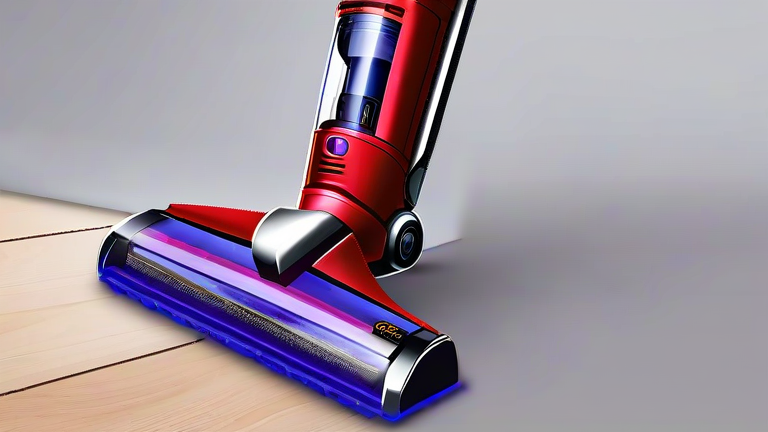
TL;DR: To clean your Dyson V15 Detect, regularly empty the bin, rinse the filters with cold water, and wipe the lens with a dry cloth. Perform a full deep clean monthly by checking for blockages in the wand and ensuring all components are completely dry before reassembly.
Maintaining your Dyson V15 Detect is crucial for preserving its suction power and extending the lifespan of the device. This advanced vacuum cleaner relies on precise engineering to detect dust, so keeping it clean ensures optimal performance. Regular maintenance prevents clogs, reduces odors, and maintains the hygiene of your home cleaning routine.
Emptying and Cleaning the Bin
The first step in maintenance is dealing with the dust bin. Locate the red release lever on the bin and pull it down to detach the canister from the main body. Hold the bin over a trash can and press the red ejector button to open the bottom lid. This action drops the debris out efficiently. After emptying, wipe the inside of the bin with a dry, lint-free cloth to remove fine dust particles that might cling to the plastic. Avoid using water or cleaning agents on the bin, as moisture can damage the internal sensors or cause rust.
Washing the Filters
Your Dyson V15 has two washable filters: the pre-motor filter and the post-motor filter. Locate the blue filter hatch at the top of the bin and slide it open. Remove the cylindrical pre-motor filter gently. Rinse this filter thoroughly under cold running water until the water runs clear. Do not use soap, as residues can clog the filter fibers. Gently squeeze out excess water without twisting the filter material, which could damage it. Next, locate the second filter at the base of the motor housing. Remove it using the same gentle technique and rinse it under cold water. Both filters must air dry for at least twenty-four hours before reinstallation. Never put the filters back in while damp, as this can cause mold growth and reduce suction efficiency.
Cleaning the Laser Fluffy Head
The signature green laser on the V15 head can attract dust and hair, affecting its visibility. Use a dry microfiber cloth to gently wipe the lens surface. Avoid abrasive materials that could scratch the laser emitter. Check the brush bar for tangled hair or string by flipping the head over. Use a pair of scissors to carefully cut away any debris wrapped around the bristles. Ensure the brush bar spins freely after cleaning. Regularly inspect the nozzle opening for larger objects like coins or bottle caps that might cause blockages.
Inspecting the Wand and Hose
Detachable parts often accumulate dust in hard-to-reach areas. Separate the wand from the main body and look through the tube to ensure it is clear. Use a long, flexible object to push out any stubborn clogs if necessary. Wipe the exterior of the wand with a damp cloth. Reassemble all parts only when every component is completely dry. This attention to detail ensures that airflow remains unobstructed, allowing the motor to work efficiently without overheating.
FAQ
Q: How often should I wash the Dyson V15 filters?
A: You should wash the filters at least once a month, or more frequently if you notice a decline in suction power or if you have pets.
If you want to dig deeper, check out our guide on CRISPR Cures Inherited Blindness in Clinical Trials.
Q: Can I use hot water to clean the Dyson filters?
A: No, you must only use cold water to rinse the filters, as hot water can damage the filter material and reduce its effectiveness.
Q: Why does my Dyson V15 make a whistling noise?
A: A whistling noise usually indicates an air leak or a blockage. Check that all parts are securely clicked into place and ensure the filters are completely dry and correctly installed.