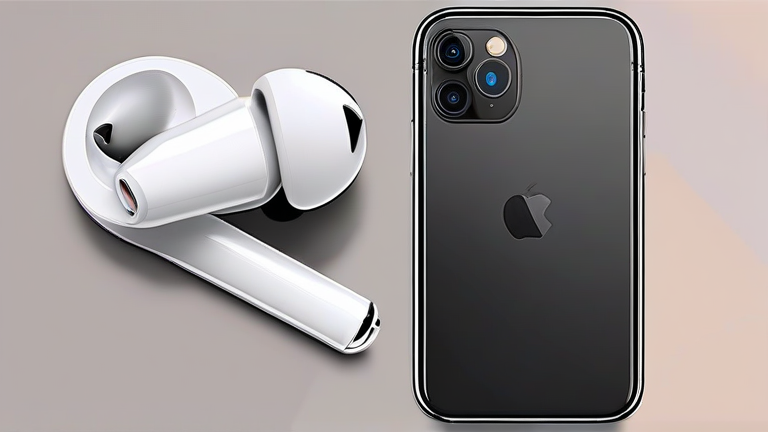
TL;DR: To fix AirPods Pro 2 Bluetooth connection drops, reset the earbuds by placing them in the case, holding the setup button, and re-pairing them to your device. Updating your iOS or Android software to the latest version often resolves underlying firmware compatibility issues that cause intermittent disconnections.
The Apple AirPods Pro 2 have revolutionized the personal audio landscape with their advanced Active Noise Cancellation (ANC) and Transparency modes. Powered by the H2 chip, these earbuds offer superior audio processing, spatial audio with dynamic head tracking, and an impressive battery life of up to six hours of listening time with ANC enabled. Despite their premium engineering and seamless integration into the Apple ecosystem, many users have reported frustrating Bluetooth connection drops. These interruptions disrupt the immersive audio experience and can be particularly annoying during critical calls or intense gaming sessions. Understanding the root cause is the first step toward a permanent solution.
If you want to dig deeper, check out our guide on Dried Herbs vs. Herbal Tea: Benefits & Differences.
Understanding the Technical Glitch
Connection issues with the AirPods Pro 2 are rarely due to hardware failure. Instead, they often stem from software conflicts, corrupted pairing data, or interference from other wireless devices. The H2 chip is designed to maintain a stable connection, but if the pairing cache becomes corrupted, the device may struggle to handshake properly with your phone or computer. Additionally, Bluetooth technology operates on the 2.4 GHz frequency, which is crowded with Wi-Fi signals, microwaves, and other Bluetooth peripherals. This environmental noise can cause signal degradation, leading to the dreaded dropouts.
Step-by-Step Troubleshooting Guide
Begin by ensuring your iOS device is updated to the latest version. Apple frequently releases patches that improve Bluetooth stack stability. If the issue persists, proceed with a factory reset. Place both AirPods in the charging case and leave the lid open. Press and hold the setup button on the back of the case until the status light flashes amber and then white. This process clears all previous pairing information. Next, go to your device’s Bluetooth settings, find the AirPods Pro 2, and select “Forget This Device.” Finally, bring the case close to your iPhone or iPad and follow the on-screen prompts to re-pair them as new devices. This fresh connection often resolves persistent connectivity bugs.
Industry Impact and Future Outlook
The prevalence of these connection issues highlights a broader trend in the wireless audio industry. As more consumers adopt true wireless stereo (TWS) earbuds, the demand for robust, interference-resistant connections grows. Competitors like Sony, Bose, and Samsung are investing heavily in proprietary codecs and better antenna designs to mitigate these issues. Apple’s reliance on the H2 chip is a testament to its commitment to performance, but even the best hardware requires optimal software conditions. Industry analysts predict that future firmware updates will focus on enhancing adaptive connectivity algorithms, allowing earbuds to dynamically switch frequencies to avoid interference. For now, users must remain vigilant about software updates and proper maintenance procedures to ensure a seamless listening experience. The AirPods Pro 2 remain a top contender in the market, but their performance is heavily dependent on the user’s ability to maintain a clean software environment.
FAQ
Q: Why do my AirPods Pro 2 disconnect randomly?
A: Random disconnections are usually caused by corrupted pairing data, outdated software, or interference from other 2.4 GHz devices. Resetting the earbuds and updating your device’s OS typically resolves this.
Q: How do I reset my AirPods Pro 2?
A: Place the earbuds in the case, keep the lid open, and press and hold the setup button on the back until the status light flashes amber and then white.
Q: Does the H2 chip cause connection issues?
A: No, the H2 chip is designed to enhance connection stability. Issues are likely due to software bugs or environmental interference rather than the chip itself.